How it works
How the Schema Markup Generator (JSON-LD) works
 How the Schema Markup Generator (JSON-LD) works
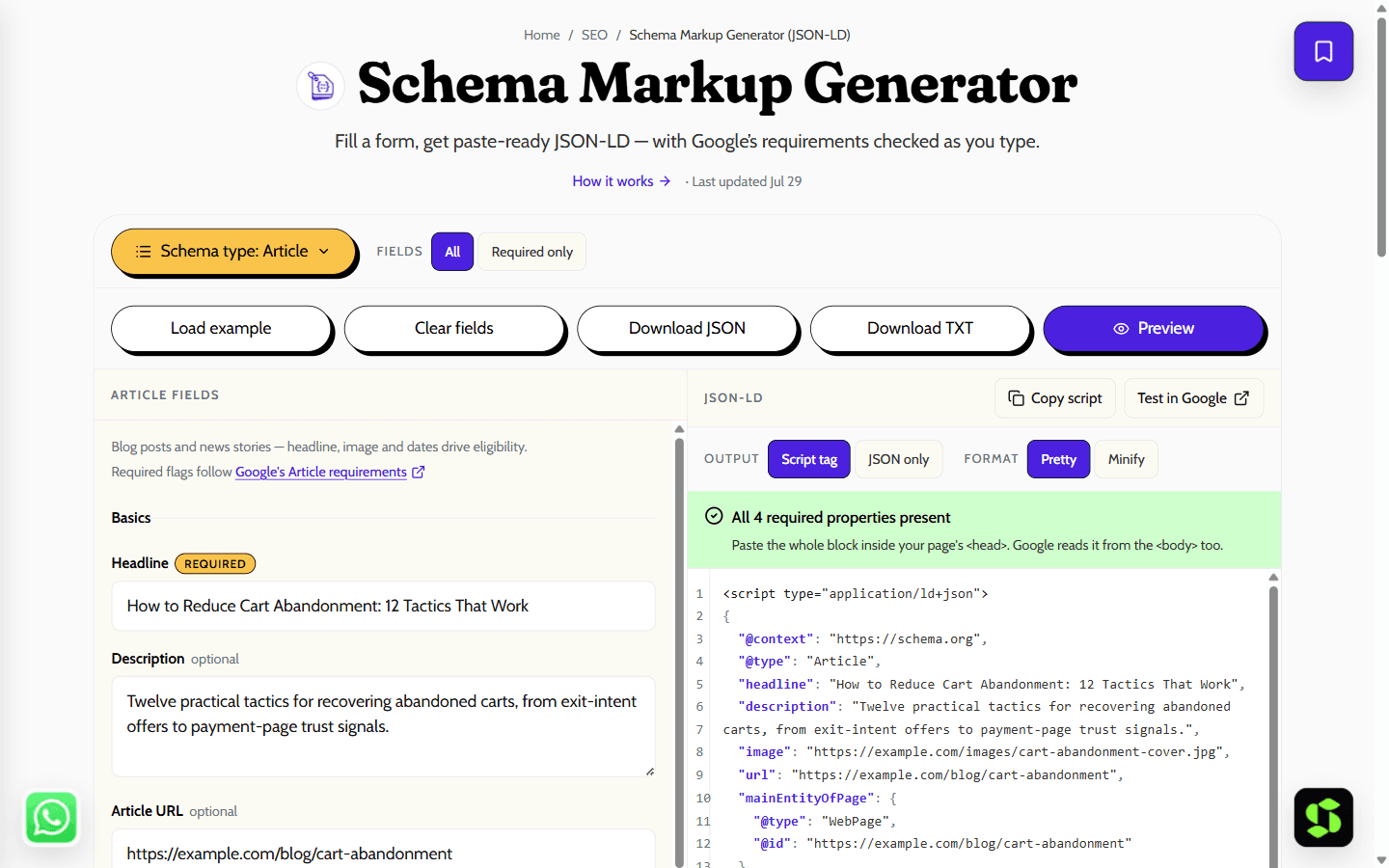
Generate valid JSON-LD structured data for Article, Product, LocalBusiness, Event and five more types — with live output and warnings for missing Google-required properties.
Last updated Jul 29
Try Schema Markup Generator (JSON-LD) nowThe method
JSON-LD is the script-block format Google recommends over microdata. This tool builds it from a typed spec table so each schema type nests properties correctly (an Article author becomes a Person, a Product price sits inside an Offer), flagging fields Google rich results require, not just schema.org optional ones.
Step by step
- 1
Pick a schema type — Article, Product, Local Business, Event and more.
- 2
Fill in the fields; the JSON-LD script block updates on every keystroke.
- 3
Fix anything the warnings panel flags as missing or malformed.
- 4
Copy the script block and paste it inside your page’s <head>.
- 5
Confirm eligibility with Google’s Rich Results Test.
What it doesn't do
- Valid markup makes a page eligible for a rich result — it does not guarantee Google shows one.
- Markup must match what users actually see on the page, or it risks a manual action.
- Covers the nine most-used types; niche types like Recipe or JobPosting have extra requirements.
Copy-paste JSON-LD examples
Below are valid, schema.org-correct examples for the types this generator covers. Copy one, swap in your own details, and paste the whole block inside a `<script type="application/ld+json">` tag — or skip the copy-paste entirely and build it from your own fields above.
Article
{
  "@context": "https://schema.org",
  "@type": "Article",
  "headline": "How to Add Schema Markup",
  "author": { "@type": "Person", "name": "Jane Doe" },
  "datePublished": "2026-08-09",
  "image": "https://example.com/cover.jpg"
}
Product
{
  "@context": "https://schema.org",
  "@type": "Product",
  "name": "Wireless Headphones",
  "image": ["https://example.com/photo.jpg"],
  "description": "Noise-cancelling over-ear headphones.",
  "offers": {
    "@type": "Offer",
    "price": "4999",
    "priceCurrency": "INR",
    "availability": "https://schema.org/InStock"
  }
}
LocalBusiness
{
  "@context": "https://schema.org",
  "@type": "LocalBusiness",
  "name": "Acme Studio",
  "telephone": "+91-98765-43210",
  "address": {
    "@type": "PostalAddress",
    "streetAddress": "123 MG Road",
    "addressLocality": "Bengaluru",
    "addressRegion": "KA",
    "postalCode": "560001",
    "addressCountry": "IN"
  }
}
BreadcrumbList
{
  "@context": "https://schema.org",
  "@type": "BreadcrumbList",
  "itemListElement": [
    { "@type": "ListItem", "position": 1, "name": "Home", "item": "https://example.com/" },
    { "@type": "ListItem", "position": 2, "name": "Blog", "item": "https://example.com/blog/" }
  ]
}
The errors Google flags most in the Rich Results Test — fix these before anything else:
- Missing required field — a Product with no offers, or a Review with no author. Add the required property; this generator will not let you skip these for the types it covers.
- Invalid JSON syntax — a stray trailing comma or an unclosed brace. Generating the block instead of hand-typing it avoids this entirely.
- Wrong value type — a price written as "₹4,999" instead of "4999", or a date not in ISO format. Use plain numbers and YYYY-MM-DD dates.
- Schema that doesn't match visible content — marking up Q&A pairs, prices, or details that are not actually shown on the page. This is a Google policy issue, not just a warning.
- Wrong @type — using Organization where LocalBusiness fits better for local search. Pick the most specific type that actually describes the page.
Frequently asked
Does schema markup improve rankings?
Not directly — Google has said structured data is not a ranking factor. What it does is make pages eligible for rich results (stars, prices, FAQs, breadcrumbs), which typically lift click-through rate, and it helps machines disambiguate what the page is about.
Which schema types actually get rich results?
Only the types in Google’s search gallery: Article, Product, Event, LocalBusiness, Breadcrumb, HowTo and a couple of dozen others. Marking up anything else is still valid schema.org and can help machine understanding, but it will not change how the snippet looks.
Where do I paste the JSON-LD?
Anywhere in the page HTML — the <head> is conventional but Google reads it from the <body> too. Paste the whole <script type="application/ld+json"> block as-is; it must be on the page whose content it describes.
What is the difference between JSON-LD and microdata?
Microdata weaves attributes (itemscope, itemprop) into your existing HTML tags; JSON-LD is one self-contained script block. Both are read by Google, but JSON-LD is the format Google recommends because it is easier to add, template and maintain without breaking page markup.
Why did my rich result not appear even though the markup validates?
Valid markup only makes you eligible. Google also weighs page quality, whether the markup matches visible content, and per-query relevance — and new markup can take days or weeks to be recrawled. Check Search Console’s enhancement reports for the page’s actual status.
Can I put more than one schema type on the same page?
Yes. Multiple <script type="application/ld+json"> blocks on one page are fine — an article page commonly carries Article, BreadcrumbList and Organization markup side by side. Generate each one here and paste them as separate blocks.
Which schema types does this generator support?
Nine: Article, Organization, LocalBusiness, Product, Person, Event, WebSite, BreadcrumbList and HowTo — the types that cover the vast majority of real pages. Niche types like Recipe or JobPosting aren’t built in yet.
Is my data uploaded anywhere?
No — the JSON-LD is assembled entirely in your browser from what you type. Nothing is sent to a server, and nothing is saved once you leave the page.
Need this built into your business?
This tool is free because it's a small, solved problem. If what you actually need is bigger — SEO, built and maintained for you — that's Scult's day job.


