How it works
How the Colour Palette Generator works
 How the Colour Palette Generator works
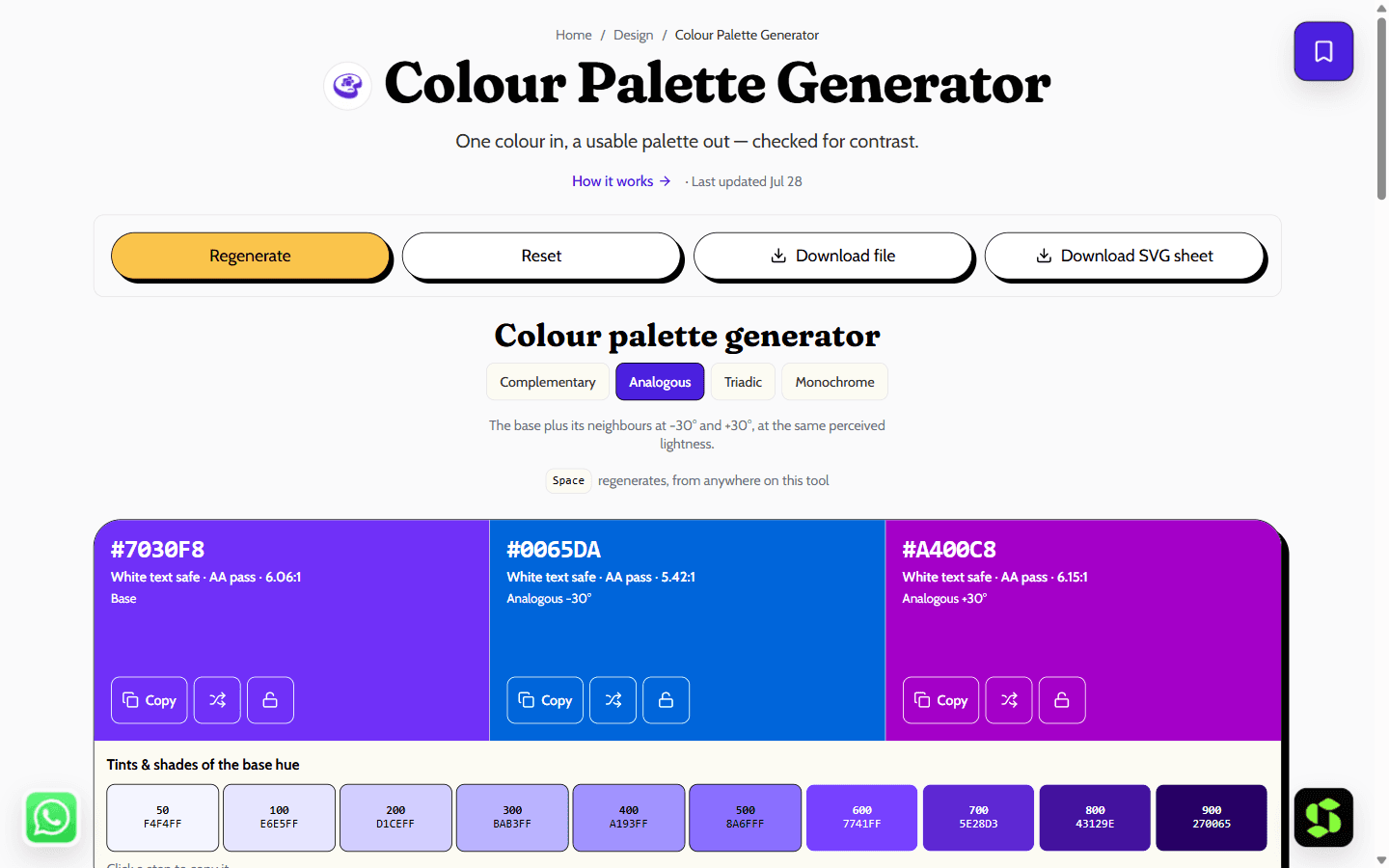
Build a harmonious palette from one colour using OKLCH, so every step is perceptually even. Includes tints, shades and an automatic WCAG check on each swatch.
Last updated Jul 28
Try Colour Palette Generator nowThe method
Harmonies are computed in OKLCH, not HSL: HSL lightness does not match perceived lightness, so HSL yellow and blue at the same value differ by roughly 4x in actual luminance, producing lumpy palettes. OKLCH is perceptually uniform, so holding lightness constant looks even across hues, and the ten-step ramp stays evenly spaced.
Step by step
- 1
Pick a base colour.
- 2
Choose a harmony — complementary, analogous, triadic or a monochrome ramp.
- 3
Check the contrast badge on each swatch.
- 4
Copy the palette as CSS custom properties or Tailwind tokens.
What it doesn't do
- Very saturated inputs may shift slightly, since out-of-gamut OKLCH colours get clamped to sRGB.
- A generated palette is a starting point, not a brand — it carries no meaning of its own.
Palettes you can copy — with contrast built in
Every palette this tool generates is checked against WCAG contrast as you go, so your text stays readable. Here are a few starting points — open the generator above to build and tweak your own.
- Modern SaaS: #0F172A · #2563EB · #38BDF8 · #F1F5F9 · #FFFFFF
- Warm & friendly: #7C2D12 · #EA580C · #FDBA74 · #FFF7ED · #1C1917
- Premium dark: #0B0B0F · #6D28D9 · #A78BFA · #E5E7EB · #FFFFFF
- Fresh & natural: #14532D · #16A34A · #86EFAC · #F0FDF4 · #052E16
Export in one click — CSS custom properties or a Tailwind v4 @theme block:
CSS custom properties
:root {
  --brand-primary: #2563EB; /* oklch(54% 0.18 258) */
  --brand-accent: #38BDF8; /* oklch(74% 0.12 228) */
}
Tailwind v4
@theme {
  --color-brand-primary: #2563EB;
  --color-brand-accent: #38BDF8;
}
Tailwind v4 is CSS-first — colours are declared in @theme, not a JS config file.
JSON (with every contrast figure included) and an SVG swatch sheet export too. Like everything else about this tool, why WCAG AA matters is worth knowing: a palette that fails 4.5:1 contrast on body text isn't usable, however good it looks — that's why every pairing here is checked automatically rather than left for you to guess.
Frequently asked
Why OKLCH instead of HSL?
Because HSL lightness does not match perceived lightness. In OKLCH, holding lightness constant across hues produces swatches that actually look equally light.
Are the generated colours accessible?
Each swatch is checked against white and black text and labelled with its ratio, so you can see immediately which ones can carry text.
Can I use these commercially?
Yes. Colours are not copyrightable and there is nothing to attribute.
How are the palettes generated?
From a base colour using one of four harmony rules — complementary, analogous, triadic, or a monochrome ramp — computed in OKLCH so each hue holds the lightness step you'd expect instead of the lumpy results HSL produces.
Can I lock a colour and regenerate the rest?
Yes — lock any swatch you want to keep, and regenerating only recomputes the unlocked ones around it.
What can I export?
CSS custom properties, a Tailwind v4 @theme block, JSON with every contrast figure included, or an SVG swatch sheet.
Is it free?
Yes — free, no signup, and no limit on how many palettes you generate.
Need this built into your business?
This tool is free because it's a small, solved problem. If what you actually need is bigger — branding & design, built and maintained for you — that's Scult's day job.


