How it works
How the Free Invoice Generator works
 How the Free Invoice Generator works
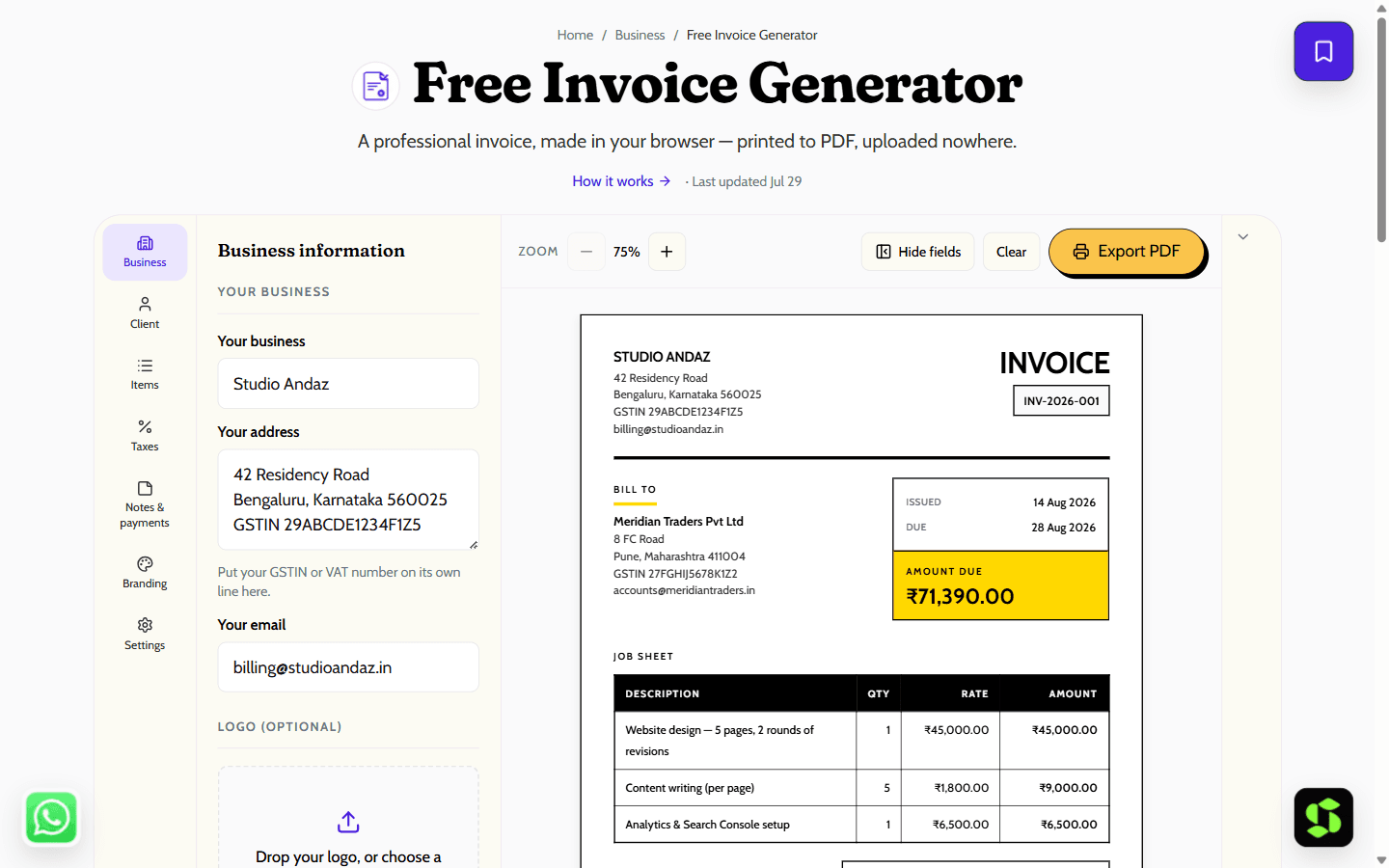
Create a clean, professional invoice in your browser and print it straight to PDF. Line items, GST or VAT, percentage or flat discounts, eight currencies — and nothing you type is ever uploaded.
Last updated Jul 29
Try Free Invoice Generator nowThe method
Amounts are computed in integer minor units, not floating-point: each line total is rounded once, and discount and tax are rounded once more, so subtotal minus discount plus tax reconciles exactly. Discount applies before tax, matching GST/VAT rules. Export is your browser’s Print to PDF; nothing is uploaded.
Step by step
- 1
Fill in your business details and your client’s — the invoice preview updates as you type.
- 2
Add line items with a quantity and rate; set your tax label, discount and currency.
- 3
Pick a payment term — Net 7, 14 or 30 — to fill the due date, and use Next number to continue your invoice series.
- 4
Check the live A4 preview, then press Print → Save as PDF in your browser’s dialog.
- 5
Come back any time — the draft autosaves to this browser, so nothing is lost.
What it doesn't do
- It generates a standard invoice document, not a GST e-invoice — no IRN or signed QR code from the government portal.
- It has no client database or invoice ledger beyond the single autosaved draft in your browser.
What every invoice includes
You don't need Word, Excel, or a paid app to send a clean invoice. Fill in your details in your browser and print straight to PDF in under a minute — nothing is uploaded, and there's no signup.
Pick a visual style — Classic, Minimal, or Agency — independent of everything below:
- Your business name, logo, and contact details.
- Client name and address.
- Invoice number and issue/due dates, with Net 7/14/30 payment terms to fill the due date automatically.
- Itemised lines — description, quantity, rate, amount — with subtotal, discount, tax and grand total calculated for you.
- A discount applied before tax, matching standard GST/VAT treatment.
- Any of eight currencies (₹, $, €, £ and more), useful for billing international clients.
Switch on GST mode for an Indian tax invoice with GSTIN and automatic CGST/SGST/IGST splits — this produces a standard GST tax invoice, not a government e-invoice (no IRN or signed QR code). Confirm your specific GST treatment with a professional; this is guidance, not tax advice.
Frequently asked
Is this invoice generator really free?
Yes — fully free, with no account, no watermark on the invoice, and no limit on how many invoices you create. It runs entirely in your browser, so it costs nothing to operate and there is nothing to upsell.
Where is my invoice data stored?
Only in your own browser. The draft autosaves to localStorage on your device and is restored when you return. Nothing — not the amounts, your client’s details, or your logo — is sent to any server.
Can I use it for GST invoices?
For a regular GST tax invoice, yes: put your GSTIN in the address block, set the tax label to “GST 18%” (or your slab), and the tax is correctly charged on the post-discount value. It does not generate an IRN or the signed QR code required for e-invoicing.
How do I get a PDF of my invoice?
Press the Print button and choose “Save as PDF” as the destination in your browser’s print dialog. The print stylesheet strips everything except the invoice sheet, so the PDF contains only the A4 invoice.
Can I add my company logo?
Yes — drop a PNG, JPG, SVG or WebP under 1 MB onto the logo area, or click to choose one. It is read locally into the page, shown on the invoice, and saved with your browser draft. Like everything else here, it is never uploaded anywhere.
Why is the discount applied before tax?
Because that is the standard GST/VAT treatment of a discount shown on the invoice: the taxable value is the price after the discount, and tax is charged on that. Applying tax first would overstate the tax you collect.
Does it calculate totals and tax automatically?
Yes — enter quantities and rates, and the subtotal, discount, tax and grand total all update as you type, using integer minor-unit math so the numbers reconcile exactly rather than drifting from floating-point rounding.
Can I bill in a currency other than rupees?
Yes — eight currencies: INR, USD, EUR, GBP, AED, AUD, CAD and SGD, each formatted in its own local convention.
Need this built into your business?
This tool is free because it's a small, solved problem. If what you actually need is bigger — custom software, built and maintained for you — that's Scult's day job.


