How it works
How the UTM Campaign URL Builder works
 How the UTM Campaign URL Builder works
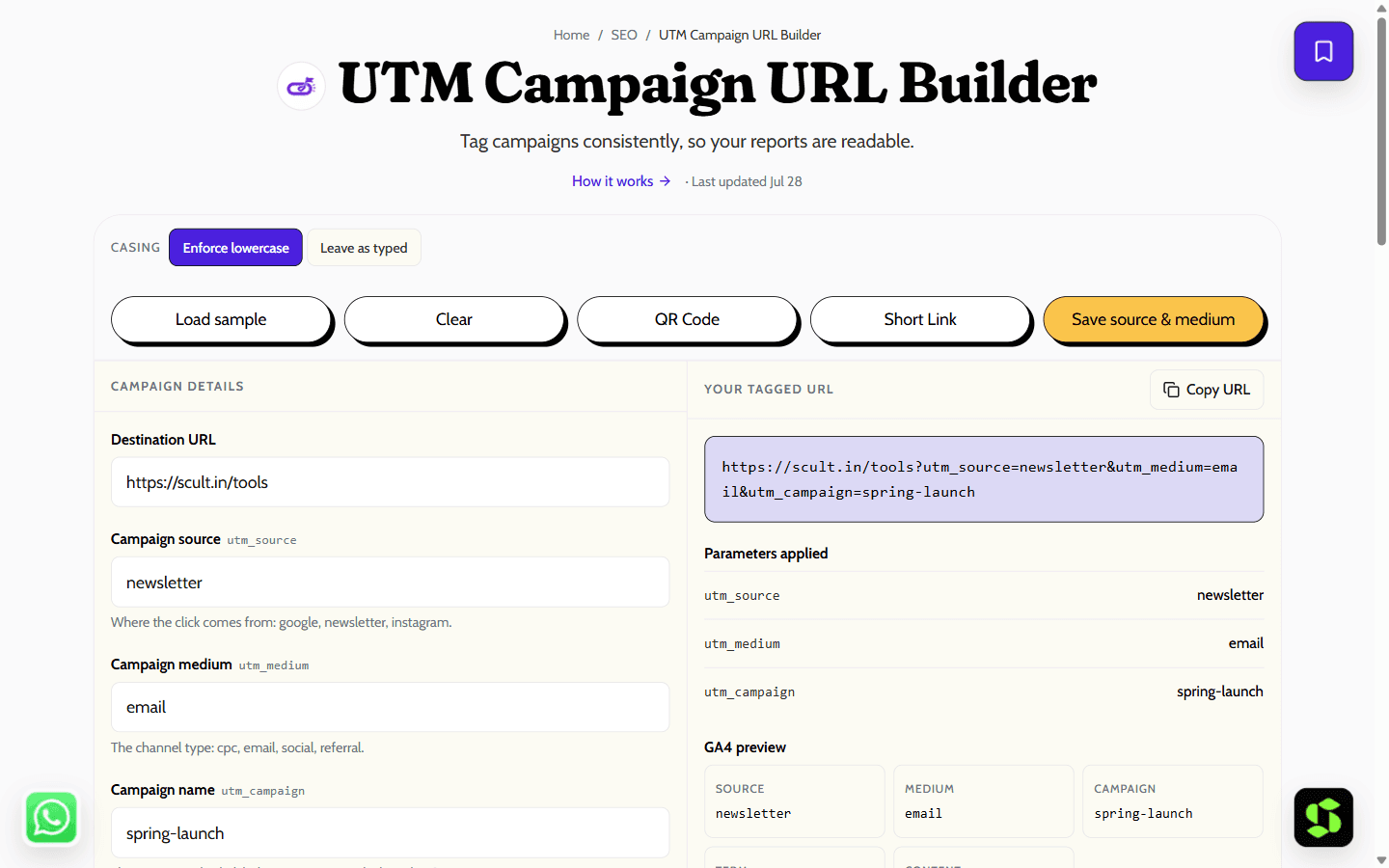
Build consistent, correctly encoded UTM tracking URLs for Google Analytics. Saves your conventions locally so every campaign is tagged the same way.
Last updated Jul 28
Try UTM Campaign URL Builder nowThe method
Parameters are appended via the URL API, so it works correctly even if the destination already has a query string or fragment. Values are lowercased and spaces become hyphens, since GA4 treats `Spring-Sale` and `spring-sale` as separate campaigns — a common cause of fragmented reports.
Step by step
- 1
Paste your destination URL.
- 2
Fill in source, medium and campaign — these three are the ones that matter.
- 3
Copy the tagged URL, or save the preset for next time.
What it doesn't do
- UTMs are visible in the URL and editable by anyone — never use them for access control or secrets.
- GA4 also auto-reads `gclid` and `fbclid`, so adding UTMs on top of auto-tagged ads can double-count.
A naming convention that keeps your reports clean
The single biggest cause of messy campaign data isn't the tool — it's inconsistency. "Facebook", "facebook" and "FB" become three different sources in GA4. A fixed convention fixes that.
The rules:
- Always lowercase — GA4 is case-sensitive, so "Email" and "email" are counted separately.
- No spaces — use hyphens instead ("diwali-sale", not "Diwali Sale").
- Pick fixed values for source and medium once, and never improvise a new spelling later.
| Channel | utm_source | utm_medium |
|---|---|---|
| Google Ads | cpc | |
| Facebook/Instagram ads | facebook / instagram | paid-social |
| Organic social post | facebook / instagram / linkedin | social |
| Email newsletter | newsletter | |
| Partner or affiliate | (partner name) | referral |
Campaign naming pattern: season-offer-year → "diwali-sale-2026". Keep a shared note of your values so everyone on the team uses the same ones, then build every link with the builder above so the format is consistent by default.
Frequently asked
Which UTM parameters are required?
Source, medium and campaign. Term and content are optional and mostly used for paid search keywords and A/B variants.
Should UTMs be lowercase?
Yes. GA4 is case-sensitive, so mixed casing splits one campaign across several rows in your reports.
Do UTMs affect SEO?
They can create duplicate URLs if crawled. Use a canonical tag pointing at the clean URL, and avoid UTMs on internal links.
Does the builder work with any URL?
Yes — paste any destination URL. If it already has a query string or a fragment, the tags are appended correctly rather than overwriting what's already there.
Where do I actually see the campaign data?
In GA4 under Traffic acquisition, and in the session source/medium reports — that's where source, medium and campaign show up once real clicks start coming in.
Is it free?
Yes, free and unlimited — no signup, no cap on how many links you build.
Need this built into your business?
This tool is free because it's a small, solved problem. If what you actually need is bigger — Google Ads management, built and maintained for you — that's Scult's day job.


